How to Download Driving Licence Online in Uttar Pradesh in 2026: A Step-by-Step Guide
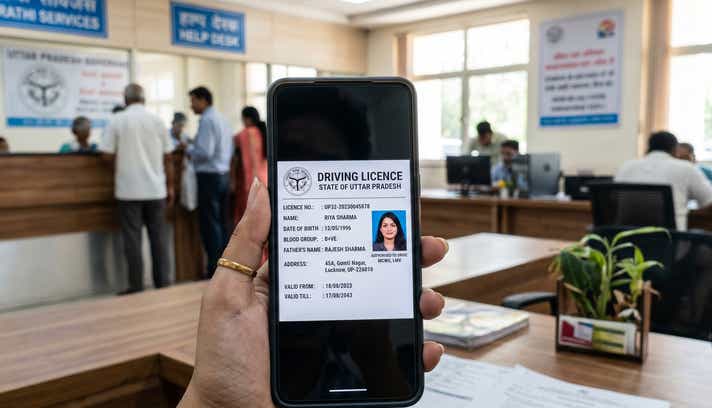
- 1Digital UP licenses are legally equivalent to physical smart cards in 2026.
- 2Get your Uttar Pradesh DL instantly using DigiLocker or the mParivahan app
- 3Stop using screenshots! Only official digital DLs are valid for UP traffic police
- Methods for a DL Download in Uttar Pradesh
- Using Your Downloaded Uttar Pradesh Driving Licence: What You Need to Know
- What You Need Before You Start
- 1. Download Driving Licence in Uttar Pradesh via Parivahan Portal
- 2. DL Download in Uttar Pradesh via DigiLocker
- 3. mParivahan App (The Virtual DL Method)
- The Cost of Driving Without a Licence in Uttar Pradesh
- Troubleshooting Common Download Issues
- Uttar Pradesh RTO Contact Details & Major Hubs
Uttar Pradesh has significantly modernised its transport infrastructure, eliminating the need to wait in long RTO queues. In 2026, almost every Regional Transport Office, from UP-32 (Lucknow) to UP-16 (Noida), is fully integrated into the national Sarathi database. This means any update to your driving record is synced in real-time.
Yes, digital licences are legally equivalent to the physical smart card under the Motor Vehicles Act, but that doesn’t mean every digital format is valid. Presenting a screenshot will not save you from a challan. To successfully download driving licence Uttar Pradesh records that authorities will actually accept, you must use authorised government platforms.
Whether you need an instant identity proof for a flight or a certified Uttar Pradesh RTO DL extract, here is exactly how to access your Uttar Pradesh driving licence online securely.
Methods for a DL Download in Uttar Pradesh
Before diving into the steps, choose the digital platform that best fits your immediate requirement. Here is a quick breakdown of the three official avenues:
| Feature / Step | DigiLocker App | mParivahan App | Parivahan Website |
| Platform | iOS, Android, Web | iOS, Android | Web Browser |
| Login Method | Mobile Number & Security PIN | Mobile Number & OTP | OTP on Registered Mobile |
| Details Required | Aadhaar Number, DL Number | DL Number, Date of Birth | Application/DL Number, DOB |
| Account Needed | DigiLocker Account | App Registration | None (Direct Access) |
| Where to View DL | "Issued Documents" Section | App Dashboard (Virtual DL) | On-screen Dashboard |
| Download Format | App View & Save | Digital App View & QR Code | Uttar Pradesh DL download PDF |
| Best For | Quick offline access during UP Traffic Police checks | Daily commuters needing a virtual backup | Recent applicants needing a physical print |
Using Your Downloaded Uttar Pradesh Driving Licence: What You Need to Know
A downloaded digital driving licence is a verified soft copy of your credentials. Under the Information Technology Act, 2000, documents pulled via authorized apps carry the exact legal weight of the physical smart card issued by your local Uttar Pradesh RTO driving licence authority.
Where It Works:
- Traffic Police Checks: Fully accepted by UP Traffic Police across all districts, city intersections, and major expressways (including the Yamuna and Purvanchal Expressways).
- Identity Proof: Serves as a valid government ID for domestic flights out of Chaudhary Charan Singh International Airport (Lucknow) or Jewar Airport, as well as for hotel check-ins.
Vehicle Rentals: If you are booking a self-drive car in Noida or a two-wheeler for Varanasi, local rental agencies readily accept authorised digital DLs for KYC verification.
Where It Fails (The Red Flags):
- Screenshots Are Invalid: A major red flag is assuming a photograph of your driving licence in your phone's gallery is legally valid. It is not. You must present the document live within the authorised application.
- Suspended Licences: If the UP Transport Department suspends your licence for severe traffic violations, the digital copy instantly becomes invalid via the real-time e-challan database.
International Driving: Applying for an International Driving Permit (IDP) to drive abroad still requires the presentation of your physical RTO-issued smart card.
What You Need Before You Start
To ensure an instant DL download Uttar Pradesh without mid-process errors, keep these exact details handy:
- Application Number: Essential if you are downloading a newly issued or renewed licence directly via the Parivahan portal.
- Driving Licence (DL) Number: Required to fetch your document. Use the exact UP format with correct spacing (e.g., UPXX YYYYNNNNNNN).
- Registered Mobile Number: You must have the active phone number linked to your RTO profile to receive the security OTP.
- Date of Birth: Must match the exact date submitted during your initial RTO application.
- Aadhaar Number: Required exclusively if you are using DigiLocker to pull your verified records.
1. Download Driving Licence in Uttar Pradesh via Parivahan Portal
The Parivahan Sewa portal is the central repository for all driving-related services. If you need a formal, printable document, this is the DL download Uttar Pradesh official method.
- Visit the Portal: Go to the official Sarathi Parivahan website.
- State Selection: On the landing page, click the "Select State Name" dropdown and choose "Uttar Pradesh" to access the state-specific dashboard.
- Navigate to Print: Under the "Driving Licence" menu, select "Print Driving Licence".
- Enter Your Details - Provide your Application Number and Date of Birth. If you only have your DL number, use the "Search by DL" feature under the Informational Services tab to locate your application details first.
- OTP Verification: A one-time password (OTP) will be sent to your registered mobile number. This is a mandatory security step.
- Download PDF: Once verified, click "Print" or "Download" to save your Uttar Pradesh DL download PDF directly to your device.
Note: If your licence details aren't appearing yet, your application might still be processing. You can understand how to check your Driving Licence application status in Uttar Pradesh to see the current stage of your approval.
2. DL Download in Uttar Pradesh via DigiLocker
DigiLocker acts as a highly secure digital wallet where the UP Transport Department directly "pushes" your verified documents.
- Log In: Access the DigiLocker app or website using your Aadhaar number and 6-digit PIN.
- Search Authority: Go to "Search Documents" and type "Uttar Pradesh Transport" or "Ministry of Road Transport".
- Select Document: Click on "Driving Licence".
- Input DL Number: Enter your full UP DL number, ensuring you include the correct RTO code and year (e.g., UP32 20260012345).
- Fetch and Save: Tick the consent box and click "Get Document". Your digitally signed licence will now live permanently in your "Issued" folder.
3. mParivahan App (The Virtual DL Method)
For daily commuters in cities like Ghaziabad, Kanpur, and Varanasi, mParivahan provides the quickest on-the-go access. It creates a "Virtual DL" that works even without an active internet connection.
- Download the mParivahan app from your respective app store.
- Sign up and verify your mobile number via OTP.
- Select the "DL" tab on the main dashboard.
- Enter your DL number and Date of Birth.
- Click "Add to Dashboard to Activate Virtual DL".
- Complete the final OTP verification. Your virtual licence is now ready to present to authorities.
The Cost of Driving Without a Licence in Uttar Pradesh
The UP Traffic Police have heavily upgraded their enforcement. In major hubs like Lucknow, Agra, and Noida, the Integrated Traffic Management System (ITMS) utilises live footage and digital cameras to issue automatic e-challans.
Under Section 181 of the Motor Vehicles Act, driving without your credentials results in severe, immediate fines. Secure your digital copy today so you aren't caught off guard.
| State | Penalty for Driving Without Valid Licence | Additional Consequences |
| Uttar Pradesh | ₹5,000 | Fines up to ₹10,000 for repeat offences; potential imprisonment for severe cases. |
| Delhi | ₹5,000 | Potential vehicle impoundment and community service. |
| Uttarakhand | ₹5,000 | Strict enforcement through e-challans; delays in insurance claims. |
Note: Fines are based on the latest MVA guidelines and are subject to revision during regional enforcement drives by the UP Traffic Directorate.
View the complete list of UP traffic police challan fines.
Despite following all the measures in keeping yourself away from challans, it’s always wise to periodically check UP e-challans to avoid missing any potential fines.
Troubleshooting Common Download Issues
Even robust digital systems have occasional hiccups. Here is how to resolve the most common roadblocks:
1. Uttar Pradesh Driving Licence Not Showing Online
This usually happens if you hold an old paper-based licence or a legacy smart card that was never digitised.
The Fix: Apply for a "Backlog Entry" on the Parivahan portal. Upload a clear scan of your old licence so the RTO can verify and digitise your record.
2. Invalid Mobile Number for OTP
Because the system is strictly OTP-secured, an outdated phone number will block your access completely.
The Fix: Use the "Update Mobile Number" service on the Sarathi portal. Select Uttar Pradesh, enter your licence details, and link your current Aadhaar-verified number instantly.
3. Record Found but Details Mismatch
If your downloaded PDF shows an old address or a typo in your name.
The Fix: Apply for a "Change of Address" or "Correction in DL" through the portal. In 2026, these are "Faceless" services in UP, meaning you do not need to visit the RTO if your Aadhaar details are correct.
4. Need a UP RTO DL Extract?
A standard digital copy is sometimes insufficient for strict legal proceedings or international verifications.
The Fix: Apply for the "DL Extract" service under the "Services on DL" menu on Parivahan to get a certified history of your licence for a nominal fee.
Uttar Pradesh RTO Contact Details & Major Hubs
If you run into a persistent technical error, reaching out to the specific RTO where your licence was issued is your best bet.
- UP Transport Toll-Free Helpline: 1800 1800 151
- Transport Commissioner Office (Lucknow): 0522-2436445
- WhatsApp Helpline (Complaints): 9415049606
- Technical Support: helpdesk-sarathi@gov.in
Major UP RTO Locations:
| RTO Code | District | Office Address |
| UP-32 | Lucknow | Transport Nagar, Lucknow - 226012 |
| UP-78 | Kanpur Nagar | Sarvodaya Nagar, Kanpur - 208005 |
| UP-16 | Noida | Sector-32, Noida, Gautam Buddha Nagar - 201301 |
| UP-14 | Ghaziabad | Lohiya Nagar, Ghaziabad - 201001 |
| UP-65 | Varanasi | Bada Lalpur, Chandmari, Varanasi - 221003 |
| UP-70 | Prayagraj | George Town, Prayagraj - 211002 |
| UP-80 | Agra | Near Transport Nagar, Agra - 282002 |
| UP-53 | Gorakhpur | Transport Nagar, Gorakhpur - 273001 |
| UP-15 | Meerut | Civil Lines, Meerut - 250001 |
| UP-25 | Bareilly | Transport Nagar, Bareilly - 243001 |
| UP-62 | Jaunpur | Near Kotwali, Jaunpur - 222001 |
Frequently Asked Questions
Expand all