Mumbai is the most densely populated city in the country, and while public transport is considered its lifeline the number of vehicles on the road continues to increase steadily. This, in turn, leads to an increasing number of driving licence holders in Mumbai. As of 2023, Mumbai has a total of over 90 lakh driving licence holders. As per a traffic statistics report, the number of driving licences issued in 2022-23 witnessed a rise of 10% over the previous year, as per the four RTOs in the city. Tracking the status of a driving licence application in Mumbai has become much easier, thanks to the government's online system. Now, applicants can check their driving licence status online without visiting the RTO in person. Here are a few ways one can check their DL application status in Mumbai and stay updated about the stage of their application in the review process.
When to Check Your DL Application Status in Mumbai?
All first-time applicants must first apply for a learner’s licence. A learner’s licence is issued for a period of 6 months. The applicant can apply for a permanent DL only after 30 days of receiving the learner’s licence, and up to 180 days from its date of issue. While applying for a permanent DL, the applicant must appear for a practical driving test and submit all necessary documents. It is only after this stage that a person needs to check the status of their driving licence application in Mumbai.
It's also wise to periodically check e-challan status on your driving license, as failure to clear any pending challans may result in its suspension.
How to Check Driving Licence Status Online in Mumbai?
The Ministry of Road Transport and Highways (MoRTH) has created a centralised system for various driving and traffic-related processes on the Parivahan website. Checking the driving licence status online in Mumbai is one of the many services that the Parivahan website provides. Here are the steps an applicant needs to follow:
Step 1: Visit the Parivahan website at https://parivahan.gov.in/parivahan/

Step 2: The home page contains a section titled ‘License Related Services’.

Step 3: Under this section, find the option titled ‘Drivers/Learner’s License’. Here, click on ‘More’.

Step 4: This will redirect to the Sarathi.Parivahan website. Select the state from the drop down, in this case, Maharashtra.

Step 5: The driving licence services page will open. Here, skip the ‘Contactless License Services’ pop-up.

Step 6: On the top right of the page, look for the 'Application Status' button and click on it.

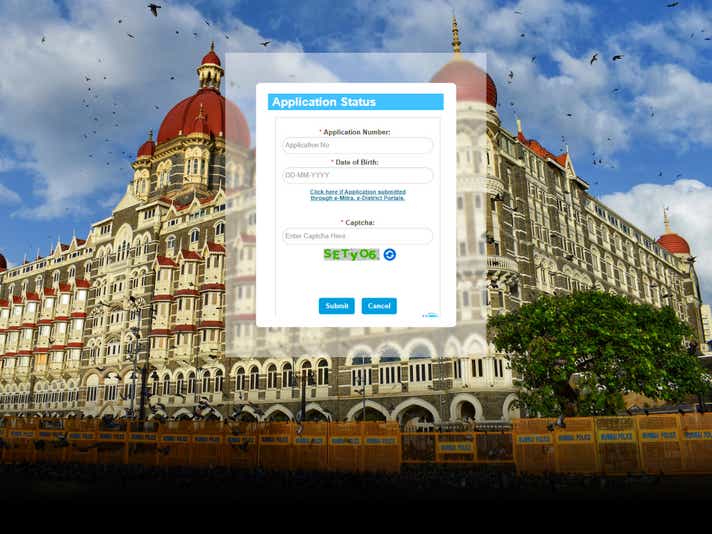
Step 7: On the next page, add the required details (application number and applicant’s date of birth) and pick the e-Mitra or e-District options, if the application was applied through those portals.

Step 8: Check the driving licence status in Mumbai and keep a track of any developments.
How to Check Your Driving Licence (DL) Status in Mumbai Online via the State Transport official website?
While Parivahan is a platform created by the central government (MoRTH), every state has its own transport department website, where many driving-related processes can be completed.
Step 1: Visit the Maharashtra Motor Vehicles Department website at https://transport.maharashtra.gov.in/.
Step 2: On the top panel, select ‘Citizen Services’.
Step 3: From the drop-menu that appears, select ‘License’, this will open a second drop-down menu.
Step 4: From the listed options, pick ‘Permanent’ License’.
Step 5: The Permanent Licence page will open. Here, click on ‘Apply Online’.
Step 6: Next, the applicant will be redirected to the main Parivahan website. From here on, the steps for checking driving licence application status in Mumbai are the same as checking the status on the Parivahan website, which are as follows:
Step 7: Under the ‘License Related Services’, go to the ‘Drivers/ Learners License’ box and click on the ‘More’ button.
Step 8: On the Sarathi.Parivahan homepage, select ‘Maharashtra’ from the state selection drop down menu.
Step 9: On the next page, skip the ‘Contactless License Services’ pop-up and click on the 'Application Status' button on the menu bar.
Step 10: Fill the required details on the next page, (Application number and applicant’s DOB).
Step 11: Press ‘Submit’, and the required DL application status in Mumbai would appear on the screen.
How to Check Your Driving Licence (DL) Status in Mumbai Online via Sarathi website?
Just like the Parivahan website, an applicant can also check the status of their driving licence application in Mumbai by directly logging on the Sarathi website.
Step 1: Visit the Sarathi website at https://sarathi.parivahan.gov.in/.
Step 2: From the drop-down menu, select Maharashtra.
Step 3: Skip the pop-up titled ‘Contactless License Services’ and click on ‘Application Status’ on the top right of the screen.
Step 4: On the next page, add the application number and the applicant’s birth date. In case an applicant has applied through e-Mitra or e-District portals, select the appropriate option on this page.
Step 5: Press ‘Submit’, and the status will appear on the screen.
What to Keep in Mind while Checking Driving Licence (DL) Status in Mumbai Online?
Some important things to keep in mind when checking the DL status online in Mumbai are:
- Online checks for driving licence applications are only applicable for permanent licence. This is because learners’ licences are issued on the day that a new driver completes their knowledge test.
- The Regional Transport Office (RTO), normally takes about two to three weeks to issue the permanent licence after the driving test.
- It is much easier to check the status of the driving licence application online, rather than physically visiting the RTO. It is recommended to personally visit the RTO, should there be a delay in the process.
- The status may not always be updated in real-time due to a lag in website uploads or technical issues. Therefore, an applicant may have to visit the website more than once to see any progress in the status.
- The online driving licence application checking process is free of charge.
- If an applicant has misplaced their application number, they can access it by going to the Sarathi.Parivahan website. Right next to the ‘Application Status’ option (top right of the website home page), one can spot the ‘Others’ tab. Click on this, and from the drop-down menu, pick ‘Find Application Number’. The applicant will be required to submit details such as their date of birth and the phone number mentioned in the application, among other details.
- The driving licence application check must be done by the applicant themselves, and the application number should not be given to any third-party agencies to check the status.
- An applicant must submit their driving licence application on their own.. The online process makes it easy and convenient for anyone to apply and seamlessly receive their DL.
Facts about Driving Licence (DL) Status in Mumbai
The driving licence status online check in Mumbai can be done through three routes 1) Parivahan website, 2) Motor Vehicles Department website, or 3) Sarathi.Parivahan. However, in the case that an online check is not possible or not preferred by an applicant, they can call or visit the local RTO. The contact details of four RTOs in Mumbai are listed below.
| Address | Phone | |
| Regional Transport Officer, Old Bodyguard Lane, Tulsiwadi, Tardeo, Mumbai - 400 034 | 022/23532337 022/23534600 022/23534601 | mh01@mahatranscom.in |
| Regional Transport Officer, 111-D, Ambivali Village, New Manish Nagar, Versova Road, Mumbai - 400 053 | 022/26366957 022/26362252 022/26319821 022/26323315 | mh02@mahatranscom.in |
| Regional Transport Officer, B-2, 3rd floor, Wadala Truck Terminal, Wadala, Mumbai East, Mumbai - 400 037 | 022/24036479 022/24036221 | mh03@mahatranscom.in |
| Regional Transport Officer, 2, Block 25, Sir Pochkhanwala Road, Worli, Mumbai - 400 025 | 022/24935857 | mh03@mahatranscom.in |
- If the application is rejected or the process has been paused due to documentation issues. The applicant is required to visit the respective RTO. The application may be rejected based on a failed driving test, or in case of document verification failure. Any small discrepancy in documents, like a wrong spelling or DOB mismatch, can result in verification failure.
- Once an applicant is issued their digital driving licence, they can upload their DL on the government’s DigiLocker app. The physical copy of the driving licence is usually delivered to the registered address within two weeks after the DL has been issued.