How to Download Driving Licence Online in Tamil Nadu in 2026: A Step-by-Step Guide
- 1Tamil Nadu digital licences are 100% legally binding for all traffic inspections.
- 2Access your Tamil Nadu DL instantly via DigiLocker, mParivahan, or Sarathi portal
- 3Avoid steep e-challans; carry a live digital DL as simple photos are not accepted.
- Methods to Download Your Driving Licence Online
- Using Your Downloaded Tamil Nadu Driving Licence: The Rules
- What You’ll Need Before You Start
- Method 1: DL Download in Tamil Nadu via the Parivahan Platform
- Method 2: DL Download in Tamil Nadu via DigiLocker
- Method 3: DL Download via the mParivahan App
- Challans for Driving Without a Valid License in Tamil Nadu
- Tamil Nadu RTO Contact Details & Helpline Numbers
- Troubleshooting Common Download Issues
- Make the Digital Shift
In the Tamil Nadu state, whether it is bustling IT corridors of Chennai, the industrial hubs of Coimbatore, or the temple city of Madurai, the way citizens interact with government services has seen a radical shift. As we navigate 2026, the state's transport department has transitioned almost entirely to a digital-first model. For millions of motorists, carrying a bulky physical wallet is no longer necessary. The ability to download driving licence Tamil Nadu documents is now just a few taps away on a smartphone.
The Tamil Nadu government has been at the forefront of the digital services initiative, drastically reducing the need for citizens to visit Regional Transport Offices (RTOs) for routine tasks. Yes, your digital Tamil Nadu RTO driving licence is highly convenient, but more importantly, it is a legally binding document. Under the 2026 transport guidelines, digital licences fetched via authorised apps are treated with the exact same authority as physical cards.
Methods to Download Your Driving Licence Online
Before diving into the exact steps, it helps to understand which digital platform best suits your immediate needs. The Tamil Nadu Transport Department provides multiple official avenues to fetch your document securely.
Here is a quick overview to help you choose the right path instantly:
| Feature | DigiLocker App | mParivahan App | Parivahan Website |
| Platform | iOS, Android, Web | iOS, Android | Web Browser |
| Login Method | Mobile number & Security PIN | Mobile number & OTP | OTP on the registered mobile number |
| Details Required | Aadhaar number, DL number | DL number, Date of Birth | Application/DL number, Date of Birth |
| Account Needed | DigiLocker account | App registration | None (Direct access) |
| Where to View | "Issued Documents" section | App Dashboard (Virtual DL) | On-screen dashboard |
| Format | App View & Save | Digital App View & QR Code | Tamil Nadu DL download PDF |
| Best For | Quick access during police checks | Daily commuters needing a virtual backup | Recent applicants wanting a printout |
Using Your Downloaded Tamil Nadu Driving Licence: The Rules
A downloaded digital driving licence is a government-recognised soft copy of your driving credentials. Under the Information Technology Act, 2000, documents fetched via official apps carry the exact same legal validity as the physical smart card issued by your local RTO.
Where You Can Use It:
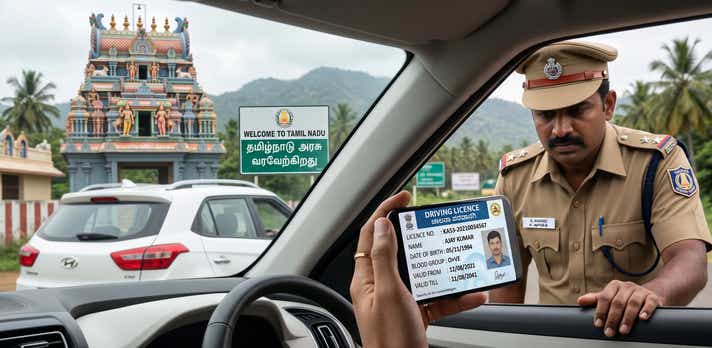
- Traffic Police Checks: Presenting your digital DL via mParivahan or DigiLocker is fully accepted by the Greater Chennai Traffic Police (GCTP) and state highway patrols.
- Identity Proof: It serves as a valid government ID for domestic flights out of Chennai International or Coimbatore Airport, and for hotel check-ins.
Vehicle Rentals: Local rental agencies readily accept digital DLs for KYC verification if you are booking a self-drive car in Chennai or a two-wheeler for an Ooty trip.
Limitations and Red Flags:
- Screenshots Are Invalid: A red flag is assuming any digital image works. A simple screenshot or a photo of your driving licence in your phone's gallery is legally void during a police check. You must present the document live within the authorized application.
- Suspended/Revoked Licences: If the Transport Department suspends your licence for severe violations (like drunk driving or overspeeding), the digital copy instantly becomes invalid. The central e-challan database updates in real-time.
International Driving: If you are applying for an International Driving Permit (IDP) to drive abroad, you must present your physical RTO-issued smart card.
What You’ll Need Before You Start
To ensure a smooth, instant download without encountering mid-process errors, keep the following details handy:
- Application Number: Essential if you are downloading a newly issued or recently renewed licence directly from the Parivahan portal.
- Driving Licence (DL) Number: Required to fetch your document. Make sure you use the exact Tamil Nadu format with the correct spacing (e.g., TNXX YYYYNNNNNNN).
- Registered Mobile Number: You must have the active phone number linked to your RTO profile to receive the secure OTP.
- Date of Birth: This must perfectly match the date submitted during your initial RTO application.
Aadhaar Number: Required exclusively if you are using DigiLocker to pull your records seamlessly.
Method 1: DL Download in Tamil Nadu via the Parivahan Platform
The Sarathi Parivahan portal, managed by the Ministry of Road Transport and Highways (MoRTH), is the official central repository for driving data. If you need a high-resolution Tamil Nadu DL download PDF, this is the most reliable source.
- Go to the official Sarathi Parivahan website.
- On the homepage, locate the "Select State Name" dropdown and choose Tamil Nadu. This redirects you to the specific database maintained by the state.
- From the main menu, hover over the Driving Licence tab and select Print Driving Licence.
- Enter your Application Number and Date of Birth. (If you only have your DL number, use the "Search by DL" feature on the portal to find your application details).
- Enter the OTP sent to the mobile number linked to your Tamil Nadu driving licence online profile.
Once verified, your licence will appear. Click Print to save your PDF document.
Note: This platform is also ideal for downloading a comprehensive Tamil Nadu RTO DL Extract, which details your entire driving history for official or legal use.
Method 2: DL Download in Tamil Nadu via DigiLocker
DigiLocker is the preferred choice for millions of Tamilians due to its convenience and high security. It acts as a digital wallet that "pulls" your verified documents directly from the government’s servers.
- Open the DigiLocker app or website and log in using your Aadhaar-linked mobile number or username.
- Navigate to the Search Documents section.
- Type "Tamil Nadu Transport" or "Ministry of Road Transport and Highways".
- Select Driving Licence from the options.
- Enter your full DL number (e.g., TN01 20260001234).
Click the consent box and hit Get Document. Your officially verified licence is now permanently stored in your "Issued Documents" folder.
Method 3: DL Download via the mParivahan App
For the tech-savvy commuter, the mParivahan app offers the quickest access. Designed specifically for mobile, it creates a Virtual DL that is valid across India, perfect for a quick "show-and-go" during traffic inspections.
- Download the mParivahan app from the iOS App Store or Google Play Store.
- Register using your mobile number and verify via OTP.
- On the dashboard, tap the DL tab.
- Input your DL number and Date of Birth.
- Tap Add to Dashboard.
Your DL download Tamil Nadu is complete, and your credentials are now available for offline viewing.
Challans for Driving Without a Valid License in Tamil Nadu
Driving without a valid licence results in you having to pay Tamil Nadu e-challan. Traffic enforcement in Tamil Nadu, particularly under the Greater Chennai Traffic Police, relies heavily on cashless e-challans and Automatic Number Plate Recognition (ANPR) cameras positioned across major intersections.
Under Section 3/181 of the Motor Vehicles (Amendment) Act, driving without your credentials results in steep fines. To safeguard yourself from unexpected penalties and potential vehicle confiscation, we highly recommend securing your digital copy by following this guide to download a driving licence in Tamil Nadu.
Fine Comparison by State:
| State | Penalty for Driving Without a Valid Licence | Additional Consequences |
| Tamil Nadu | ₹5,000 | Potential vehicle impoundment; strict e-challan enforcement. |
| Kerala | ₹5,000 | Potential imprisonment up to 3 months for repeat offenders; denied insurance claims. |
| Karnataka | ₹1,000 - ₹5,000 | Fines scale from two-wheelers (₹1,000) to four-wheelers/LMV (₹5,000). |
Note: Fines are based on the latest Motor Vehicles Act guidelines and may be revised during specific enforcement drives by the Tamil Nadu Transport Department.
Tamil Nadu RTO Contact Details & Helpline Numbers
If you face technical difficulties or data mismatches that a digital portal cannot fix, reaching out to your specific RTO (identified by the "TN" prefix) is the best course of action.
Important Helpdesk Numbers:
- Tamil Nadu State Transport Helpline: 1800 599 1500
- Transport Commissionerate (Chennai): 044-24749001 / 044-24749002
- Email Support (Policy Issues): minister_transport@tn.gov.in
- Parivahan Technical Support: helpdesk-sarathi@gov.in
Key Tamil Nadu RTO Locations:
| RTO Code | Location | Address |
| TN-01 | Chennai Central | Old Bodyguard Line, Ayyanavaram - 600023 |
| TN-02 | Chennai North West | Anna Nagar, Chennai - 600040 |
| TN-07 | Chennai South | Thiruvanmiyur, Chennai - 600041 |
| TN-10 | Chennai South West | Virugambakkam, Chennai - 600092 |
| TN-11 | Tambaram | MEPZ, Tambaram, Chennai - 600045 |
| TN-23 | Vellore | Sathuvachari, Vellore - 632009 |
| TN-31 | Cuddalore | Semmandalam, Cuddalore - 607001 |
| TN-37 | Coimbatore South | Peedampalli, Coimbatore - 641016 |
| TN-38 | Coimbatore North | Thudiyalur, Coimbatore - 641034 |
| TN-45 | Trichy West | Pirattiyur, Trichy - 620009 |
| TN-58 | Madurai South | Palanganatham, Madurai - 625003 |
| TN-59 | Madurai North | Mattuthavani, Madurai - 625007 |
| TN-66 | Coimbatore Central | Dr. Balasundaram Road, Coimbatore - 641018 |
| TN-72 | Tirunelveli | NGO 'B' Colony, Tirunelveli - 627007 |
Troubleshooting Common Download Issues
Even a highly streamlined system has occasional roadblocks. Here is how to fix the most common issues:
1. Driving Licence Not Showing Online
This often happens if your licence was issued before 2010 or if it is an older manual (paper) licence that was never digitised by the RTO.
The Fix: Apply for a "Backlog Entry" on the Parivahan portal. You will need to upload a scanned copy of your original licence. Once verified by the RTO, your digital download will be enabled.
2. Invalid Mobile Number for OTP
Because the online download is completely OTP-secured, an outdated phone number blocks your access.
The Fix: Navigate to the "Mobile Number Update" service on the Sarathi portal. You can instantly link your new number using Aadhaar authentication.
3. Record Mismatch or Incorrect Details
If your downloaded PDF displays a typo in your name or an old address.
The Fix: Apply for "Change of Address" or "Correction in DL" services on Parivahan. In Tamil Nadu, these are "Faceless" services, meaning you simply upload your proofs online without needing a physical RTO visit.
4. Difficulty Obtaining an RTO DL Extract
The Fix: If the standard download isn't sufficient for your needs (like legal proof or international driving), go to the "Services on DL" tab and select "DL Extract". This generates a highly detailed official history for a nominal fee of approximately ₹50 to ₹100.
Make the Digital Shift
The evolution of Tamil Nadu’s transport services into a digital-first ecosystem proves the state’s commitment to citizen-centric governance. By utilising the Parivahan portal, DigiLocker, or mParivahan, you ensure your driving credentials are safe, legal, and always in your pocket.
Whether you are navigating the heavy traffic of T. Nagar or cruising the scenic hills of Ooty, securing your digital licence is the smartest way to guarant
Frequently Asked Questions
Expand all