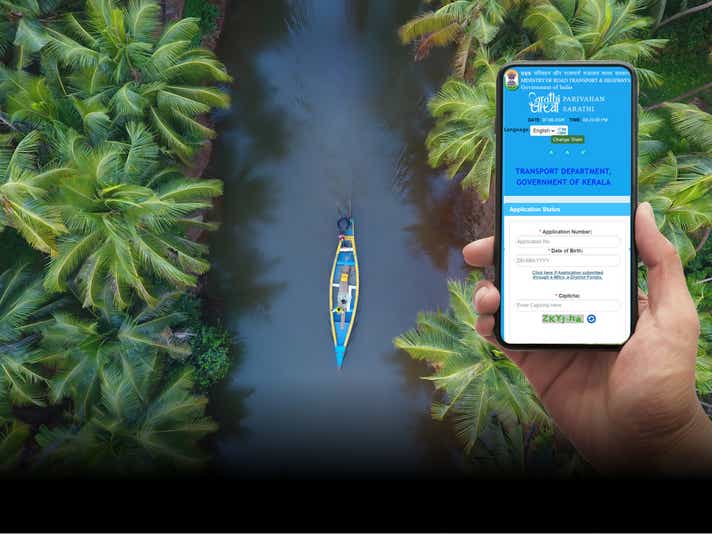

Kerala, often hailed as "God's Own Country," it's not just a paradise for tourists but also a heaven for driving enthusiasts. From the serene backwaters and hill stations to the bustling urban centers, Kerala offers diverse driving experiences. However, it is important to keep in mind that driving to enjoy the scenic beauty in Kerala should be done responsibly: ; adhering to stringent road safety laws and compliance measures to ensure smooth and safe travel. The Kerala Motor Vehicles Department has a thorough process for issuing driving licences, which comprises online application, issuance of learner’s licence, conducting driving tests and verification of documents. The department has also made the entire process transparent and accessible to all, making it very easy for applicants to check their driving licence status online in a matter of minutes. Let’s go through the steps involved in checking your Kerala driving licence application status.
How to check driving licence status in Kerala
Your Kerala driving licence application status can be checked offline, by visiting the RTO, and online, by using one of the online portals, namely the Parivahan website, or the Official Kerala Motor Vehicles Department website.
The following are the step-by-step instructions to check driving licence status in Kerala online:
How to check your DL status on the Sarathi Parivahan Portal?
Step 1: Visit the official Sarathi Parivahan website.
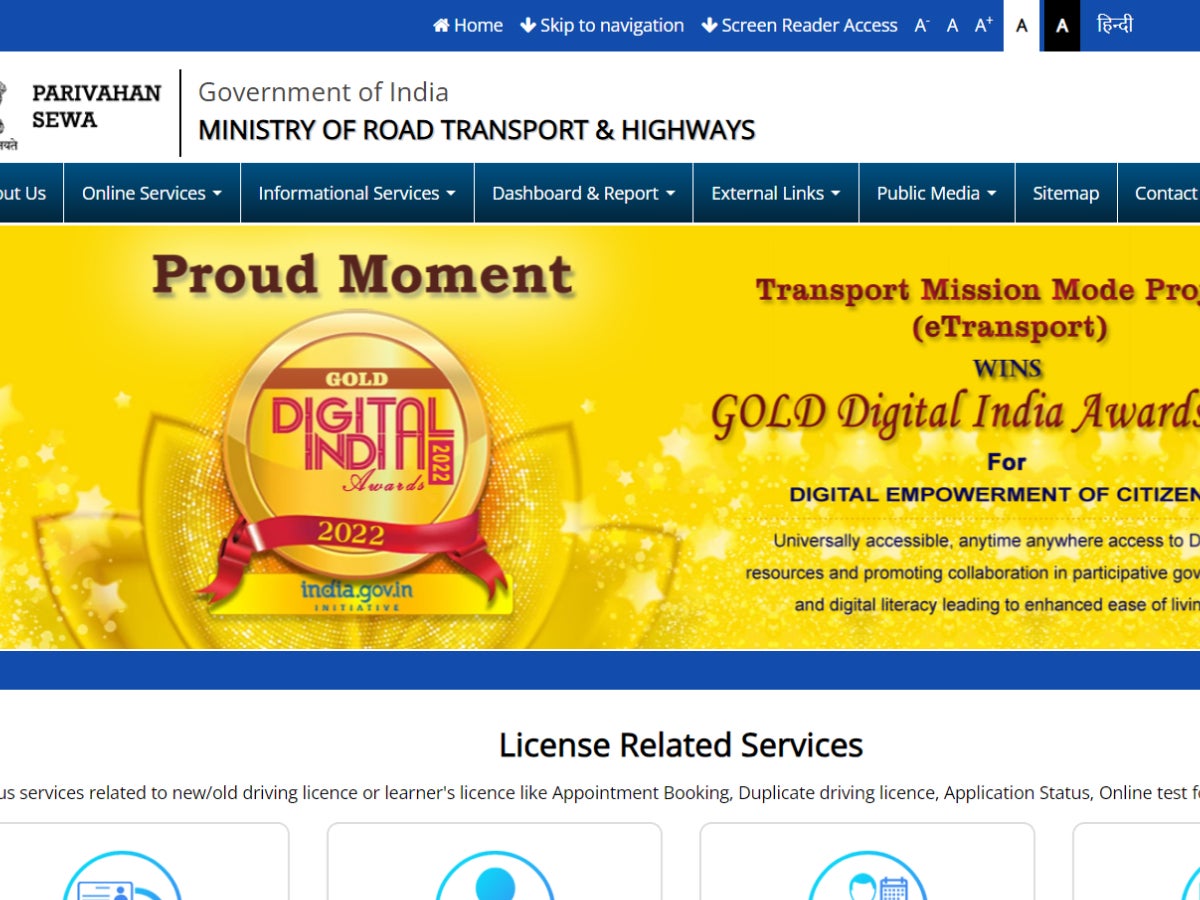
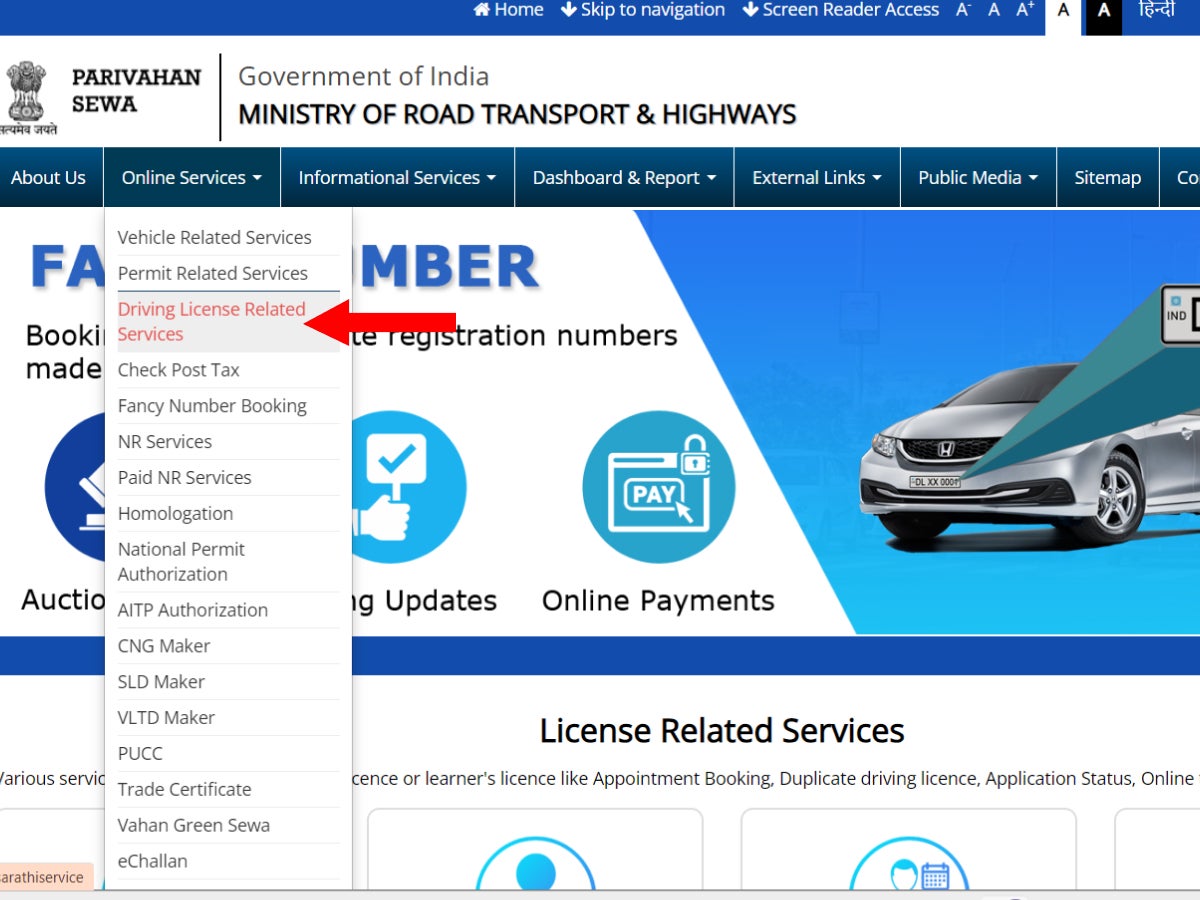
Step 2: Under ‘Online Services’ on the top menu, select “Driving Licence Related Services.”
Step 3: Select Kerala as the state.

Step 4: On the DL services page, click on the “Application Status” box on the top right-hand corner of the menu.
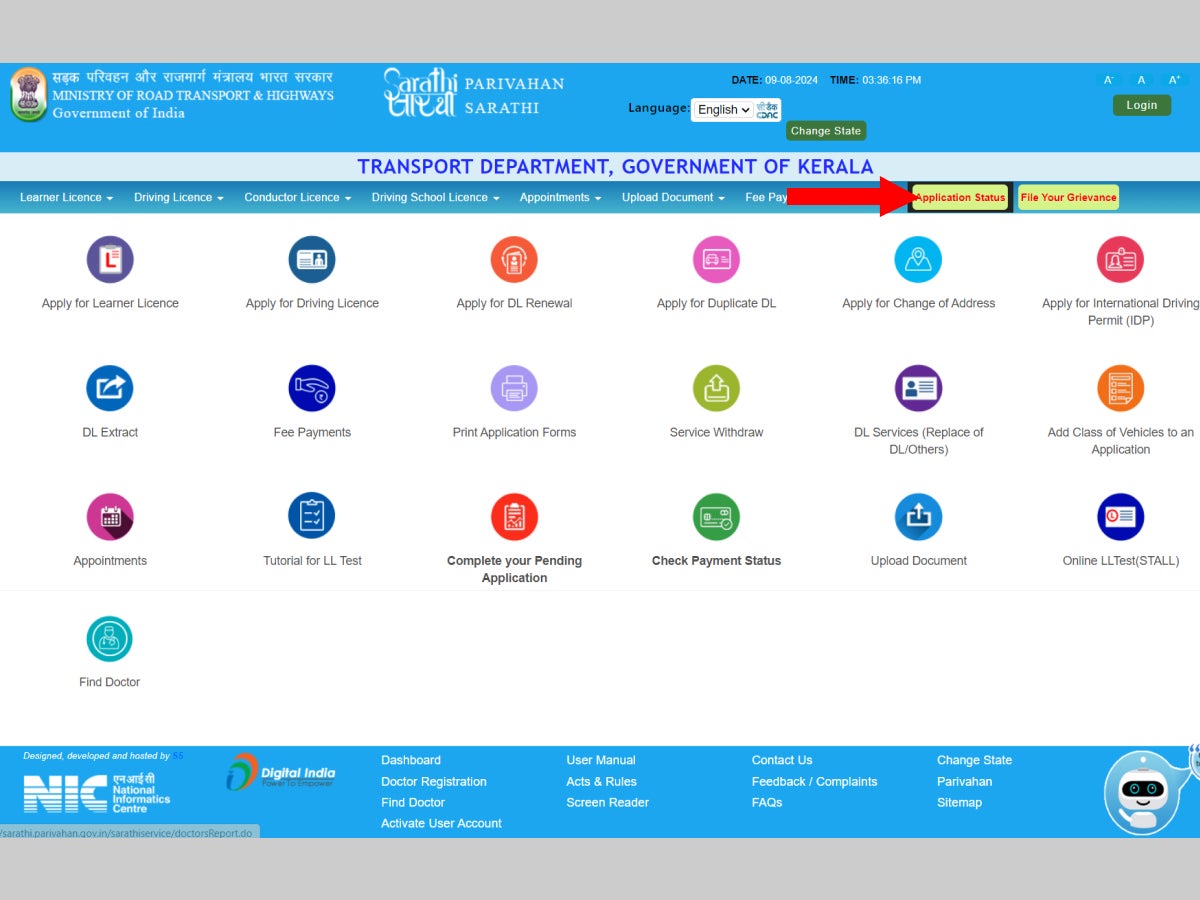
Step 5: Next, enter the details that are asked for, i.e. your application number, your date of birth and the captcha code.
Step 6: Once done, click “Submit”.
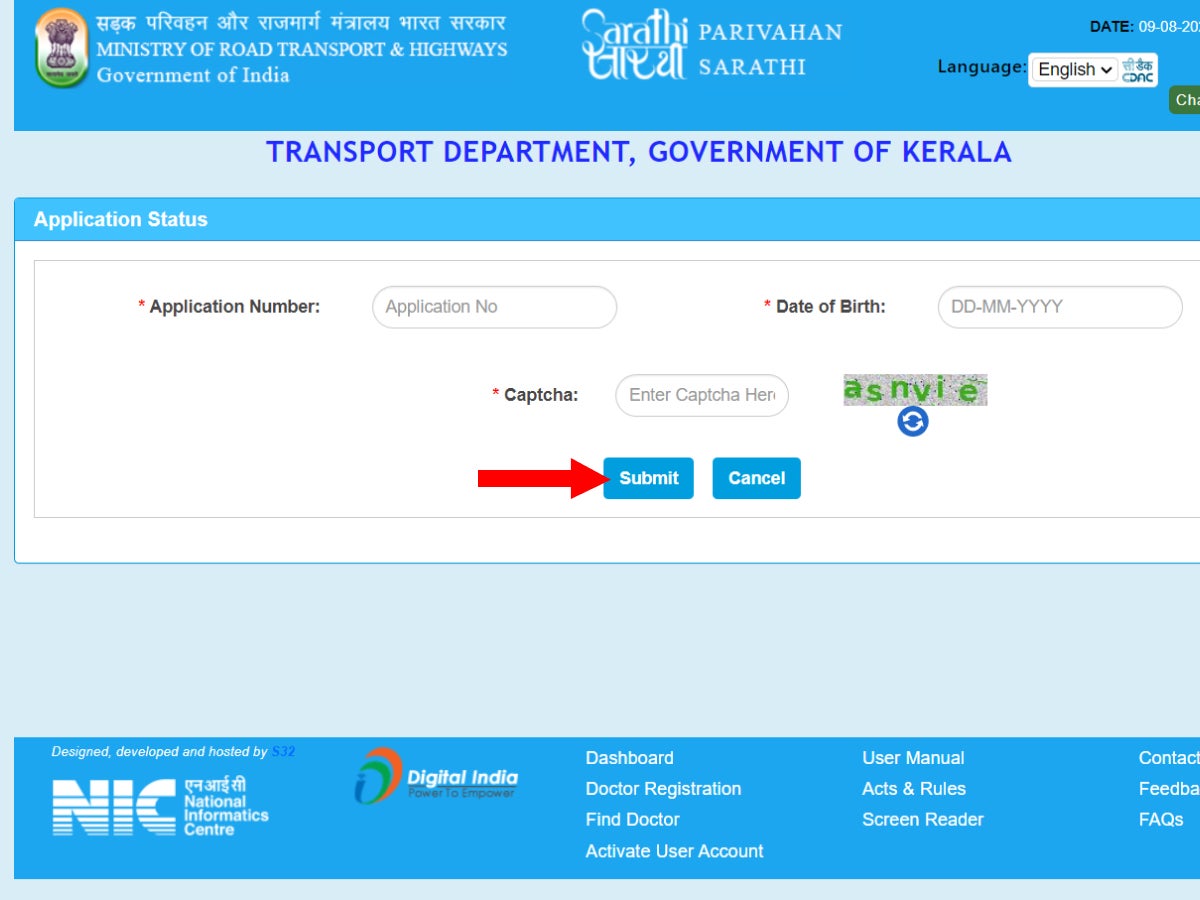
Your driving licence application status will be displayed on the screen.
How to check your DL status using the Regional Transport Portal?
Step 1: Head to the official state website of Kerala State Transport Department
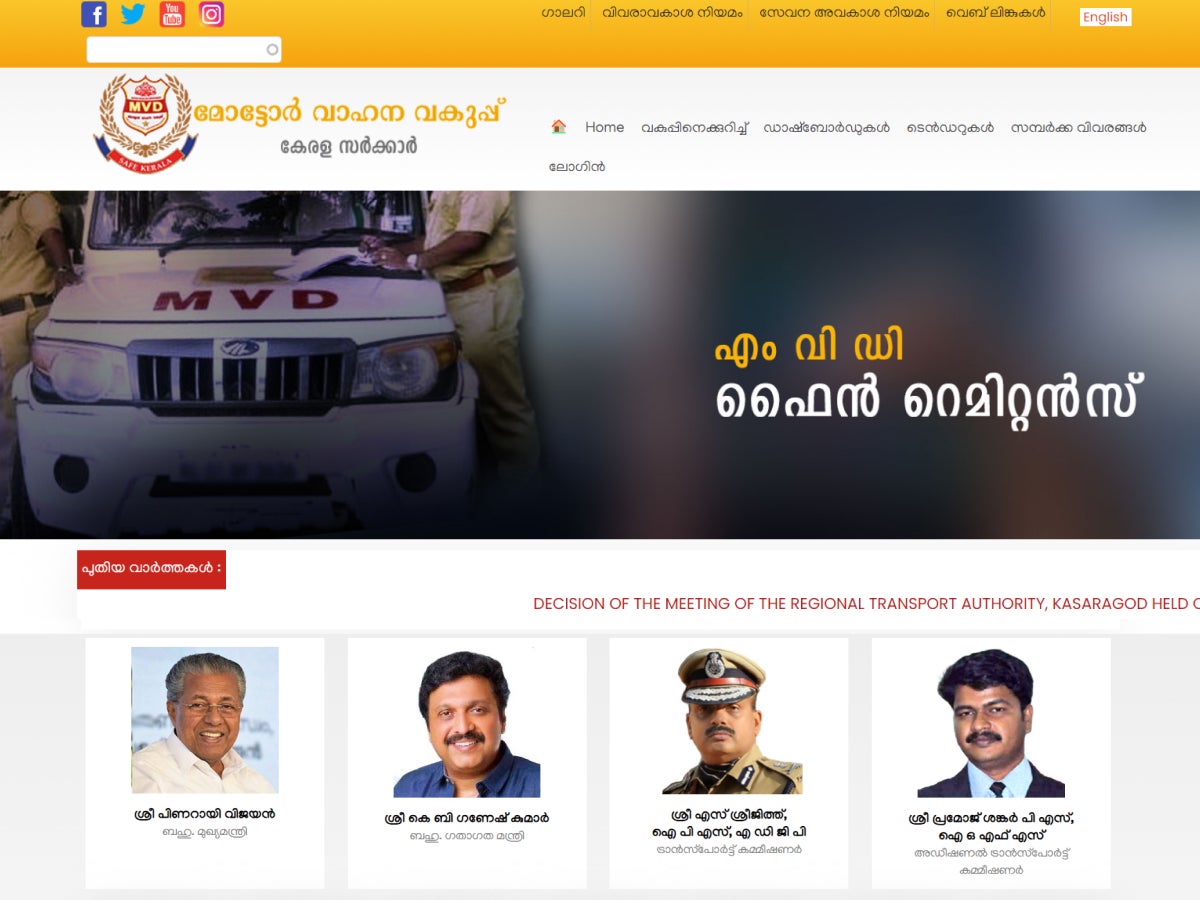
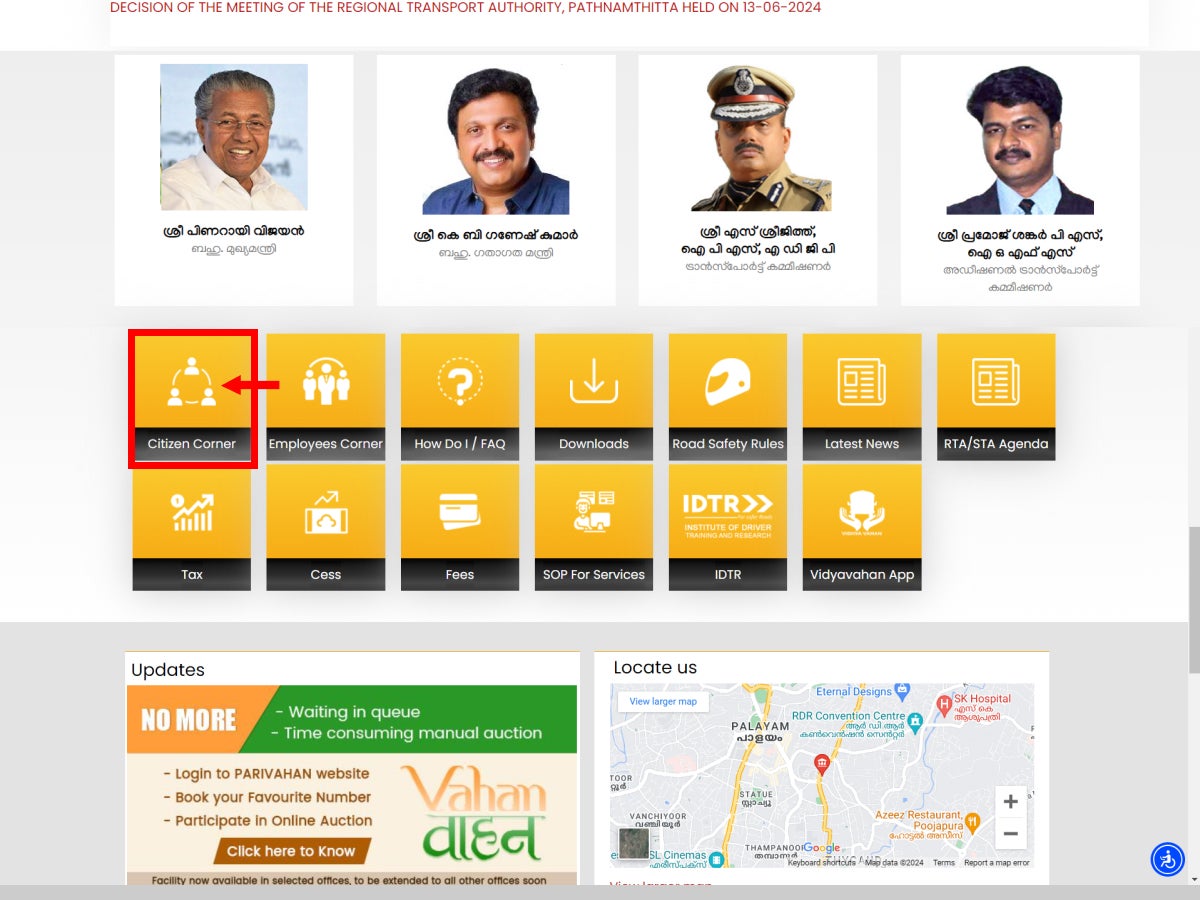
Step 2: Scroll down to the item list below and click on “Citizen Corner”. You will be taken to the Citizen Corner page, which shows a list of services offered.
Step 3: On this page, click on the box titled “Licence”. You will be redirected to the Parivahan site’s DL services page.
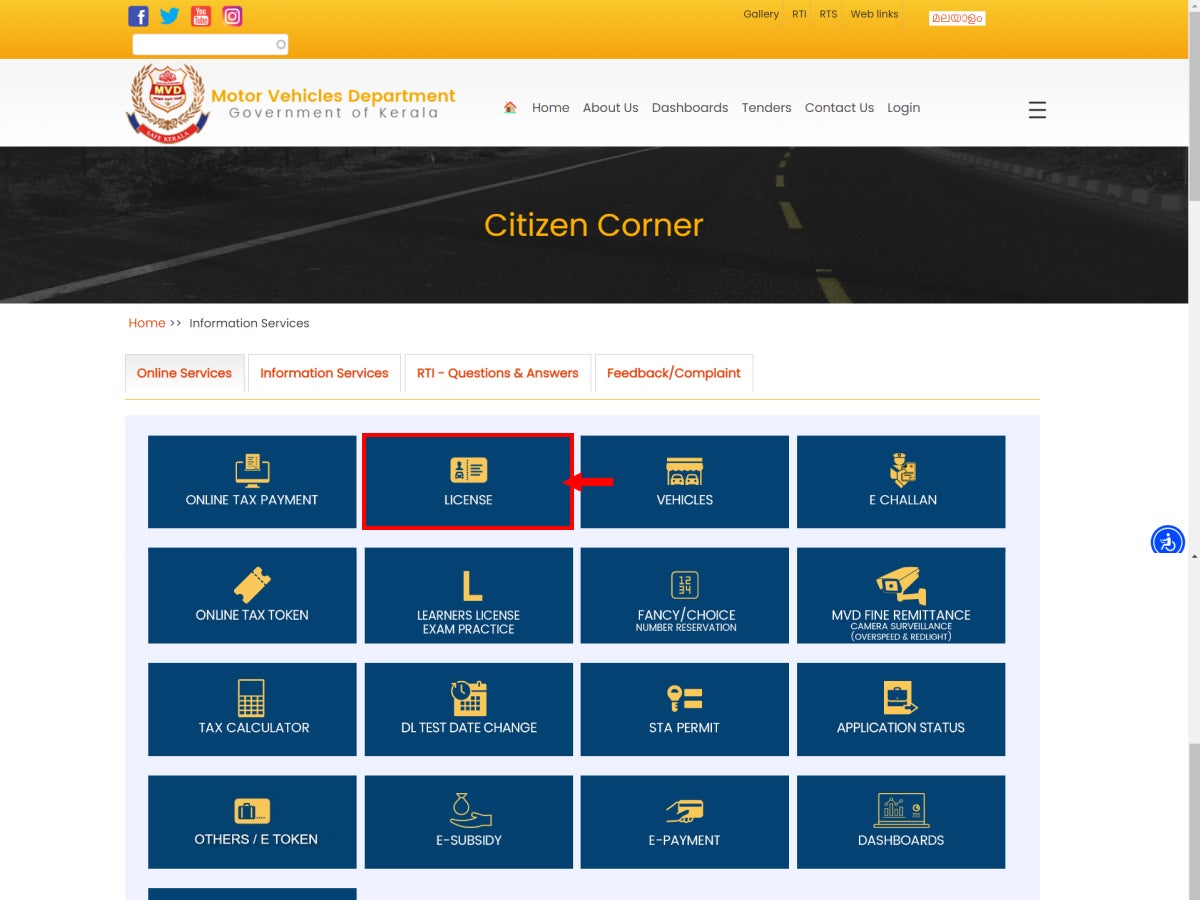
Step 4: On this page, click on the “Application Status” box on the top right-hand side.
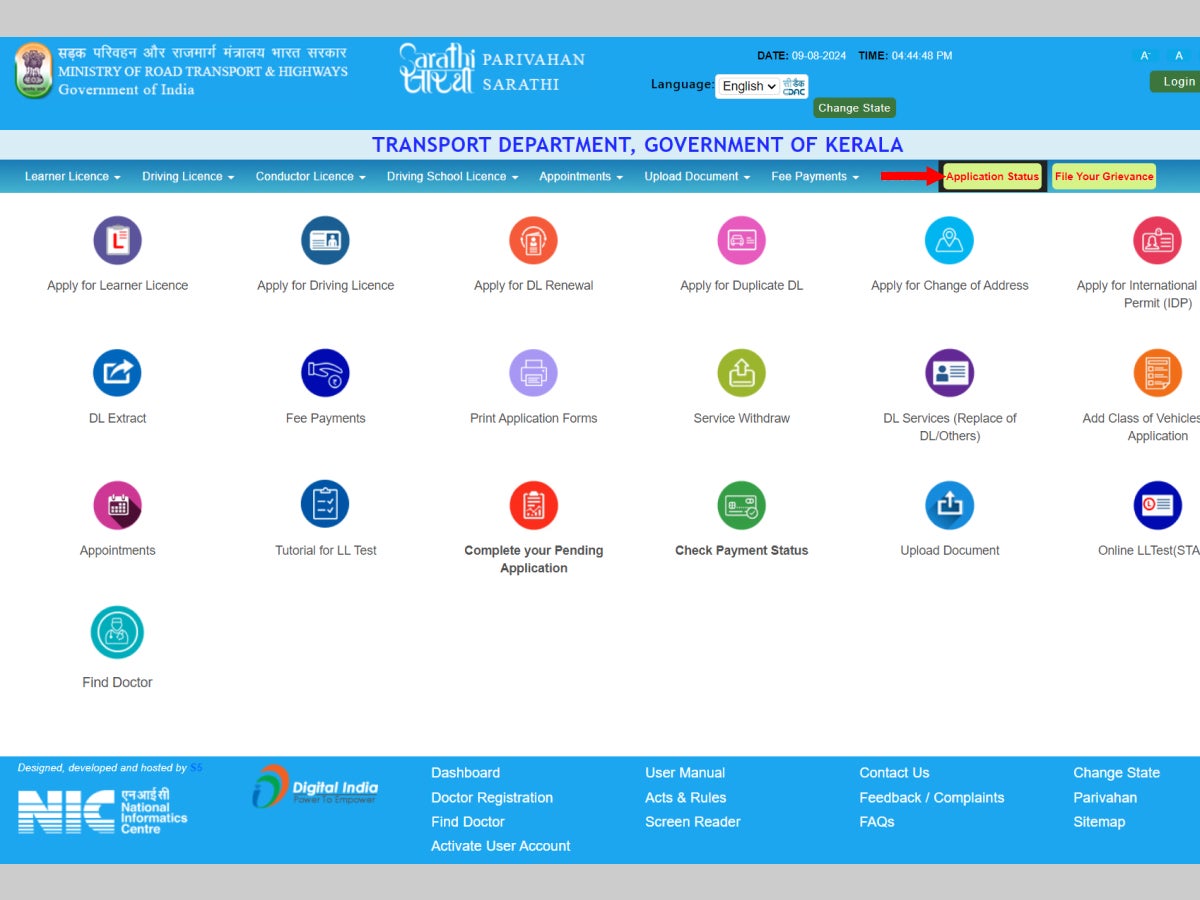
Step 5: Enter your application number, your date of birth and the captcha code given in the box.
Step 6: Click “Submit” after filling in all the information.
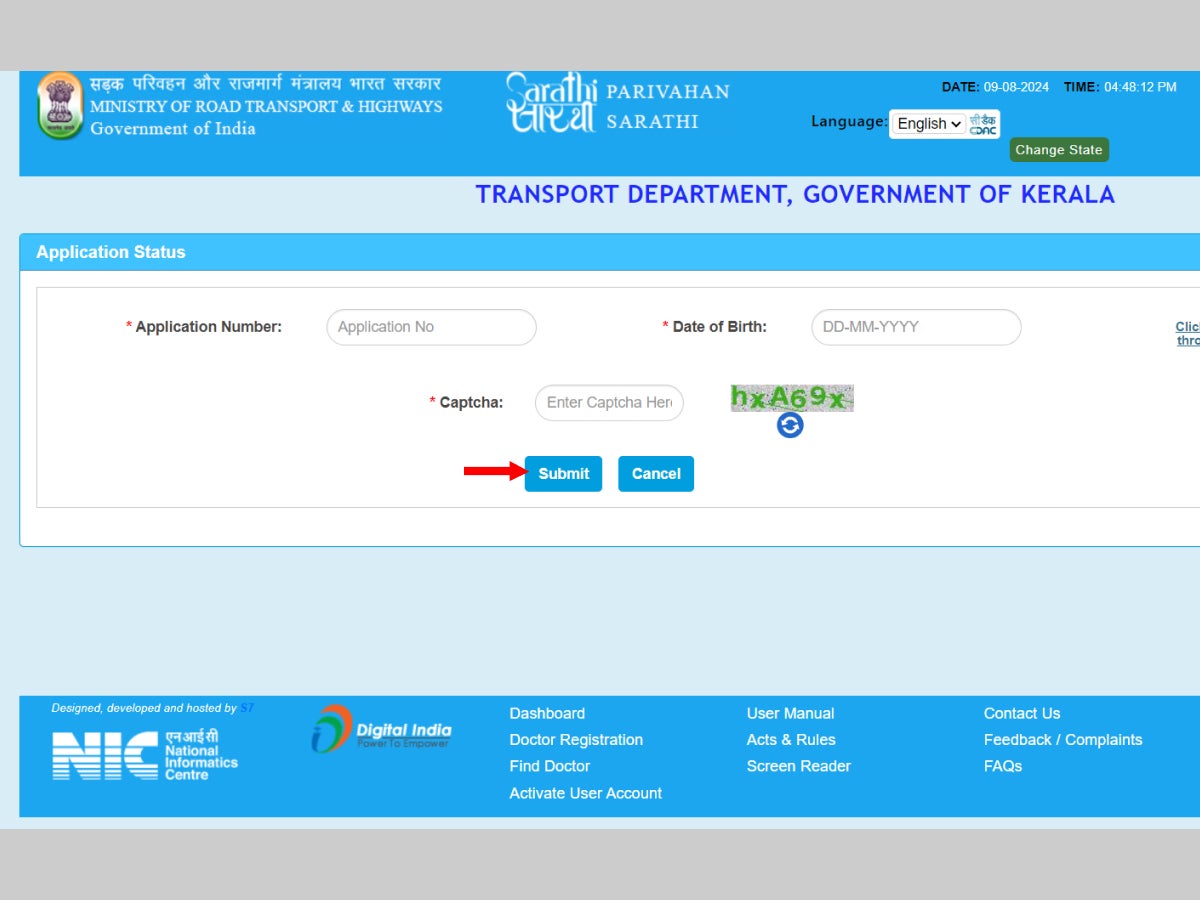
Your driving licence application status will be displayed on the screen.
What is a DL Extract and DL Backlog?
DL Extract
A DL Extract is an official document that contains all the information about an individual’s driving licence like the licence number, issuing and validity dates, type of vehicles eligible to be driven, etc. Additionally, it also shows details of any restrictions, penalties or traffic violations incurred by the licence holder. Essentially, a DL Extract is a replica of the smart DL that can be accessed online or printed in paper form. Usually, a DL Extract is needed when applying for an International Driving Permit or submitting auto-insurance claims. To get your DL Extract, you can visit the RTO or access it online through the following steps:
Step 1: Visit the official Sarathi.Parivahan website.
Step 2: Under “Online Services” on the top menu, select “Driving Licence Related Services”.
Step 3: Select Kerala as the state.
Step 4: On the DL services page, click on the “DL Extract” icon.
Step 5: Enter your application number, your date of birth and the captcha code given in the box.
Step 6: After entering the information correctly, click on “Get DL Details”.
Your DL Extract will appear on screen with all the details listed under your driving licence.
DL Backlog
A DL Backlog occurs when an individual’s driving licence has not yet been digitised and any new data needs to be manually entered, causing an accumulation of entries to be processed. The data entry is done by the Transport Department, but the licence holder can resolve the DL Backlogs on their driving licence by visiting the RTO with their official documents for verification.
How to Check the Status of your Duplicate Licence or Licence Renewal in Kerala
In case of loss, theft or damage to their driving licence, applicants can apply for a duplicate driving licence from the Parivahan website. Similarly, if the driving licence is about to expire or has expired, the applicant can apply for renewal of the driving licence. In both the cases, applicants can check the status of their duplicate DL, or DL renewal, on the Parivahan site by following the same steps as before.
Step 1: Go to the official Sarathi.Parivahan website.
Step 2: Under “Online Services” on the top menu, select “Driving Licence Related Services”.
Step 3: Select Kerala as the state
Step 4: On the DL services page, click on the “Application Status” box.
Step 5: Enter your application number, your date of birth and the captcha code.
Step 6: Click Submit.
Your Duplicate DL or DL Renewal status will be displayed on the screen.
Tips for checking your DL status in Kerala
A few important points to remember about DL application status in Kerala are given below:
- The driving licence takes about 30 days from the day of the driving test to be delivered to the applicant’s registered address.
- The RTO usually processes the driving licence within three weeks, and it takes a few additional days for the licence to be delivered.
- RTO rules and protocols are subject to change, so all applicants should keep checking the status of their application regularly
- Applicants can apply for a duplicate DL in Kerala if their driving licence is stolen, lost or misplaced, and they can check the duplicate DL status on the Parivahan site as well
- Applicants can apply for a DL renewal in Kerala if the licence has expired or is about to expire, and the DL renewal status can also be checked online on the Parivahan site
- Once an applicant gets a valid driving licence in Kerala, they can apply for an international driving permit as well
It's also wise to periodically check e-challan status on your driving license, as failure to clear any pending challans may result in its suspension.
The bottom line
We have covered all the important information and the step-by-step guide to check their Kerala driving licence application status, whether applying for a new driving licence, duplicate DL or DL renewal. Keep in mind that the Parivahan website is the official platform for all licence-related processes in India, and any application or status tracking can be done via this portal.