As it is the home to the country’s IT industry, Bengaluru is considered the Silicon Valley of India. However, Karnataka’s capital city is plagued by poor traffic conditions and congestion on the roads.
Like in any city in India, it is required by law to possess a valid driving licence to legally be allowed to drive in Bengaluru. Thankfully, the government has made it extremely easy to apply and obtain a driving licence (DL) in Bengaluru, and the process can be tracked online in real time with utmost transparency. We list the step-by-step process to check the status of your driving licence application in Bangalore.
When to check your driving licence status in Bangalore?
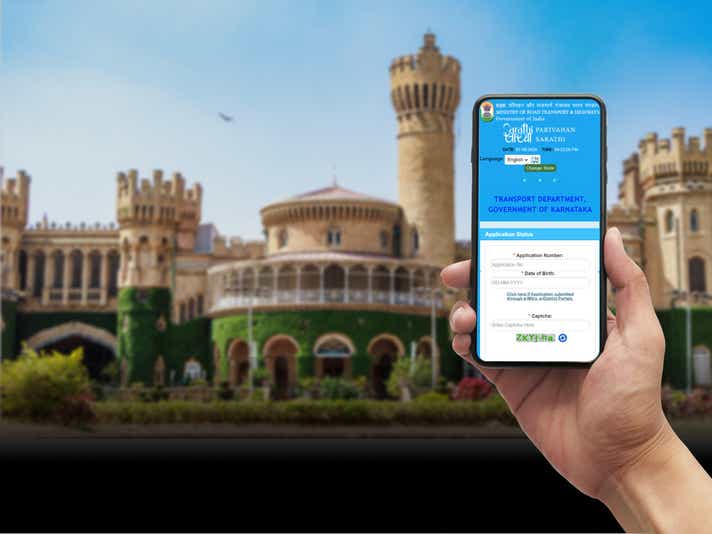
The driving licence application status in Bangalore can be checked online only after one week of completing the driving test. The Sarathi.Parivahan website allows one to check the DL status online in Bangalore, whether it is for a learner’s licence, a fresh licence, a renewal, an update, or even a duplicate licence issue.
It's also wise to periodically check e-challan status on your driving license, as failure to clear any pending challans may result in its suspension.
How to check the driving licence status in Bangalore
Checking the status of your driving licence application in Bangalore is fairly simple. It can be checked by visiting either the MoRTH’s Sarathi.Parivahan website or the state transport website of the respective state, in this case, Karnataka’s Transport Department’s website. One can even physically visit the local RTO for a status update on their Driving License application in Bangalore.
How to check driving licence status in Bangalore online via the state transport official website?
Step 1: Visit the Karnataka Transport Department website: https://transport.karnataka.gov.in/en.

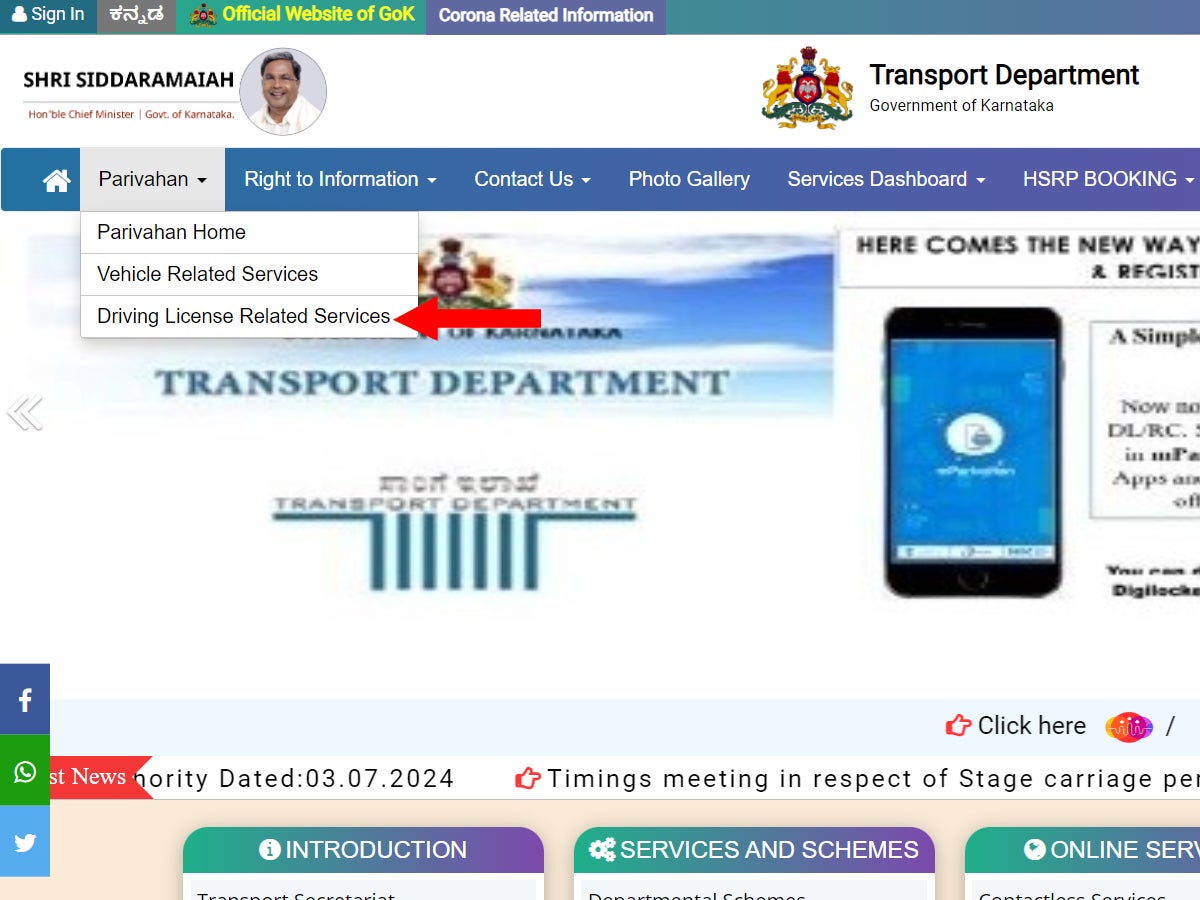
Step 2: Hover over the “Parivahan” drop-down menu from the navigation bar. Three options will appear.
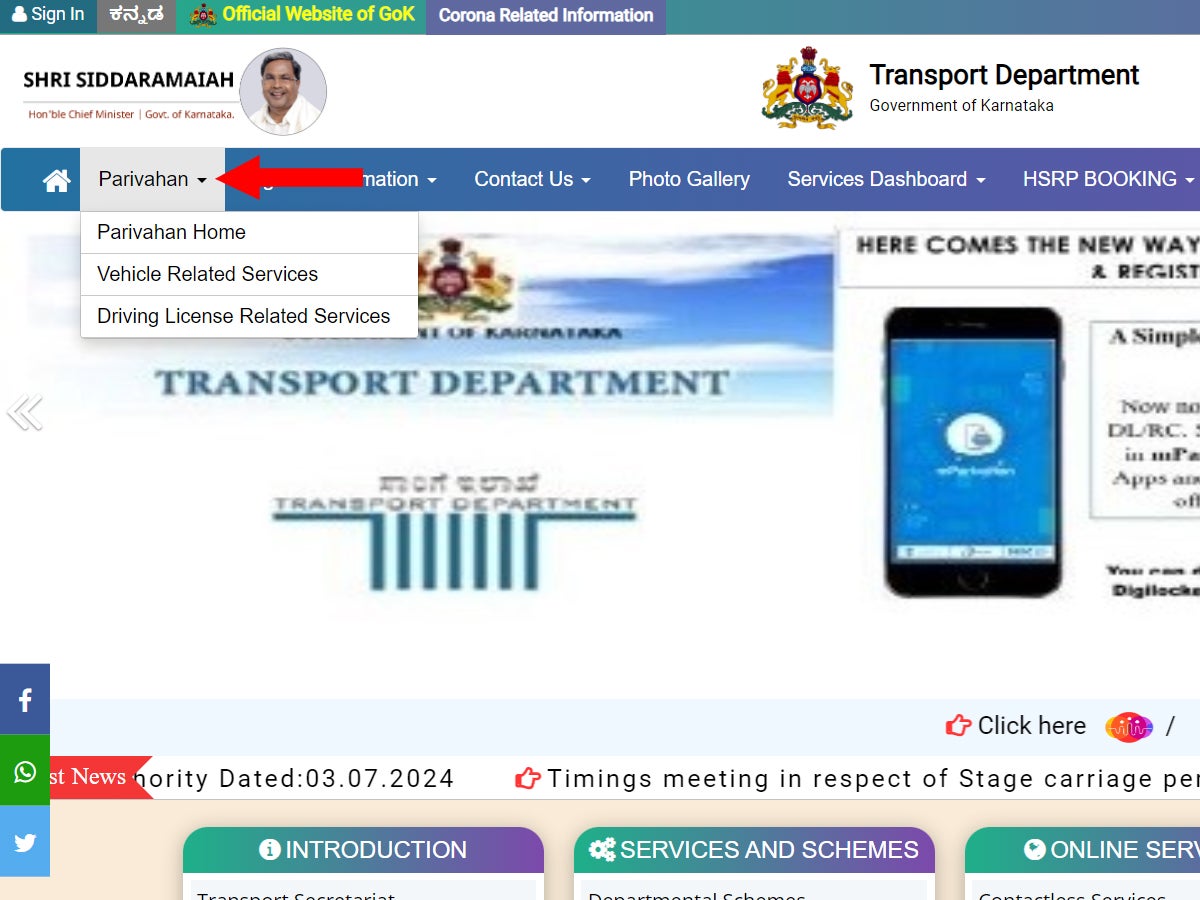
Step 3: Click on “Driving License Related Services”. It will direct you to the Parivahan website.
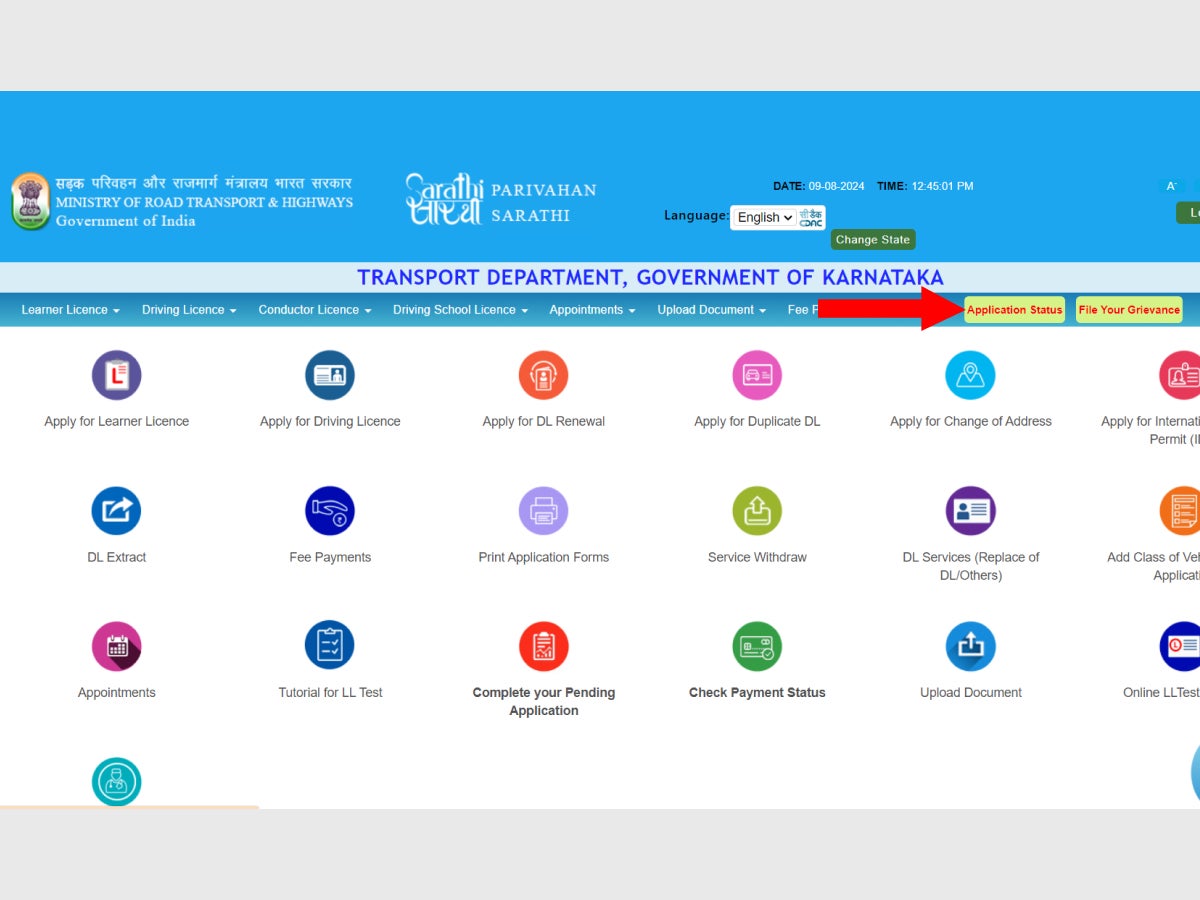
Step 4: On the right-hand side of the menu bar of the new page, click the yellow coloured “Application Status” button.
Step 5: Now, fill out the form with the Application Number, Date of Birth, and the Captcha on the page that opens
.
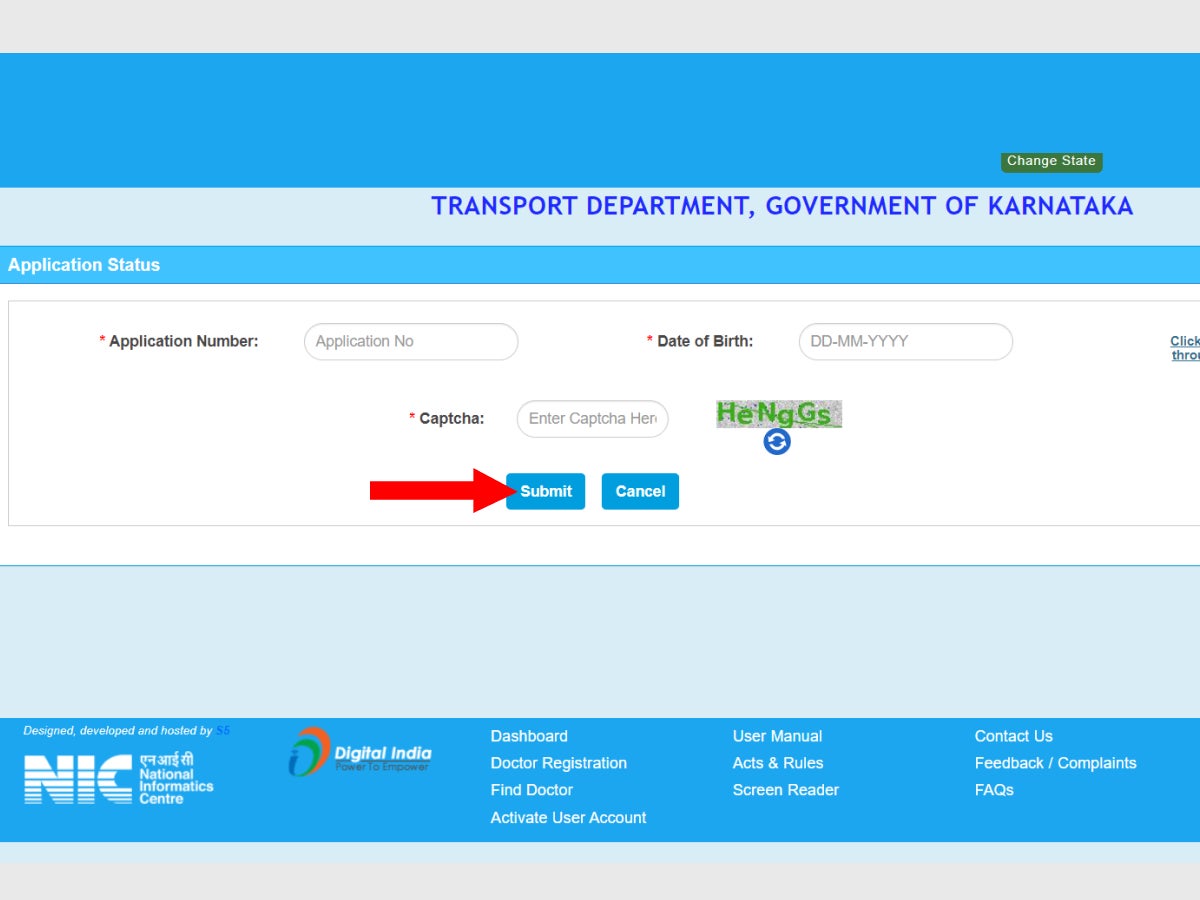
Step 6: Alternatively, if you’ve submitted the DL application through portals like e-Mitra or e-District, then click on the hyperlink on the side of the information box. A new drop-down will appear on the same page. Select the portal you’ve applied to.
Step 7: Now, press “Submit”.
Step 8: The required driving licence status in Bangalore will appear on the screen.
How to check driving licence status in Bangalore online via the Sarathi Parivahan website?
Step 1: Directly visit the Parivahan website .
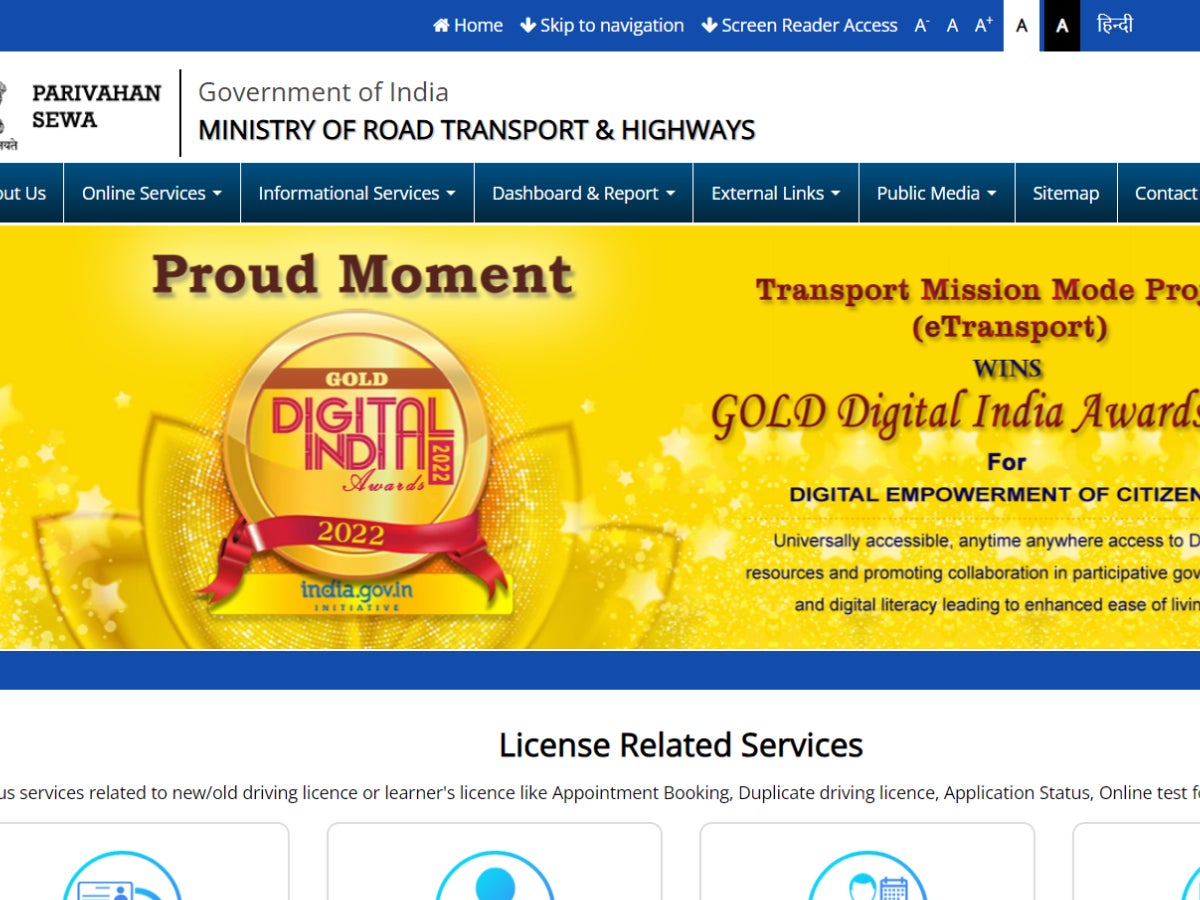
Step 2: Hover over the “Online Services” drop-down from the navigation menu bar. Three options will appear.
Step 3: Click on “Driving License Related Services”.
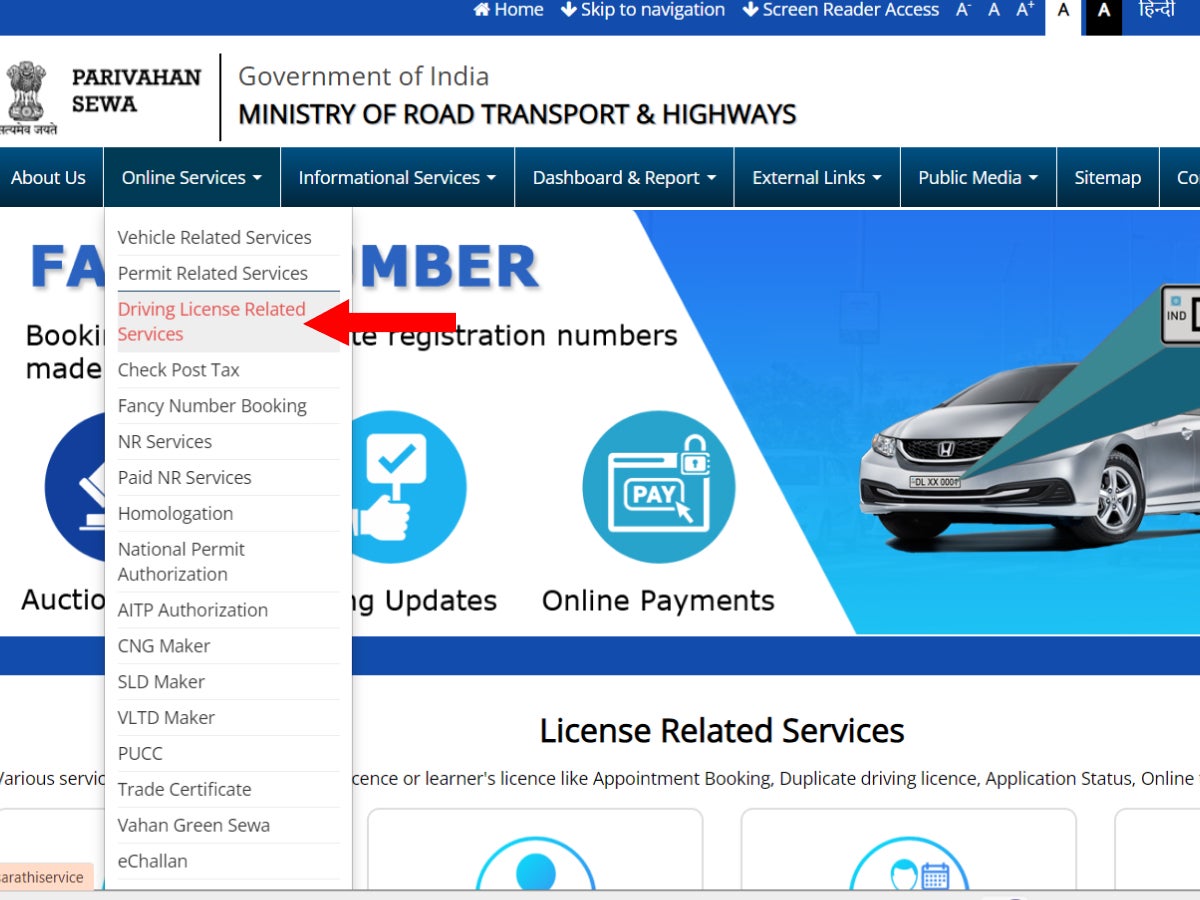
Step 4: Select the state from the drop-down. For Bengaluru, select Karnataka.
Step 5: Now, click on the yellow colored “Application Status” button on the right-hand side of the menu bar.
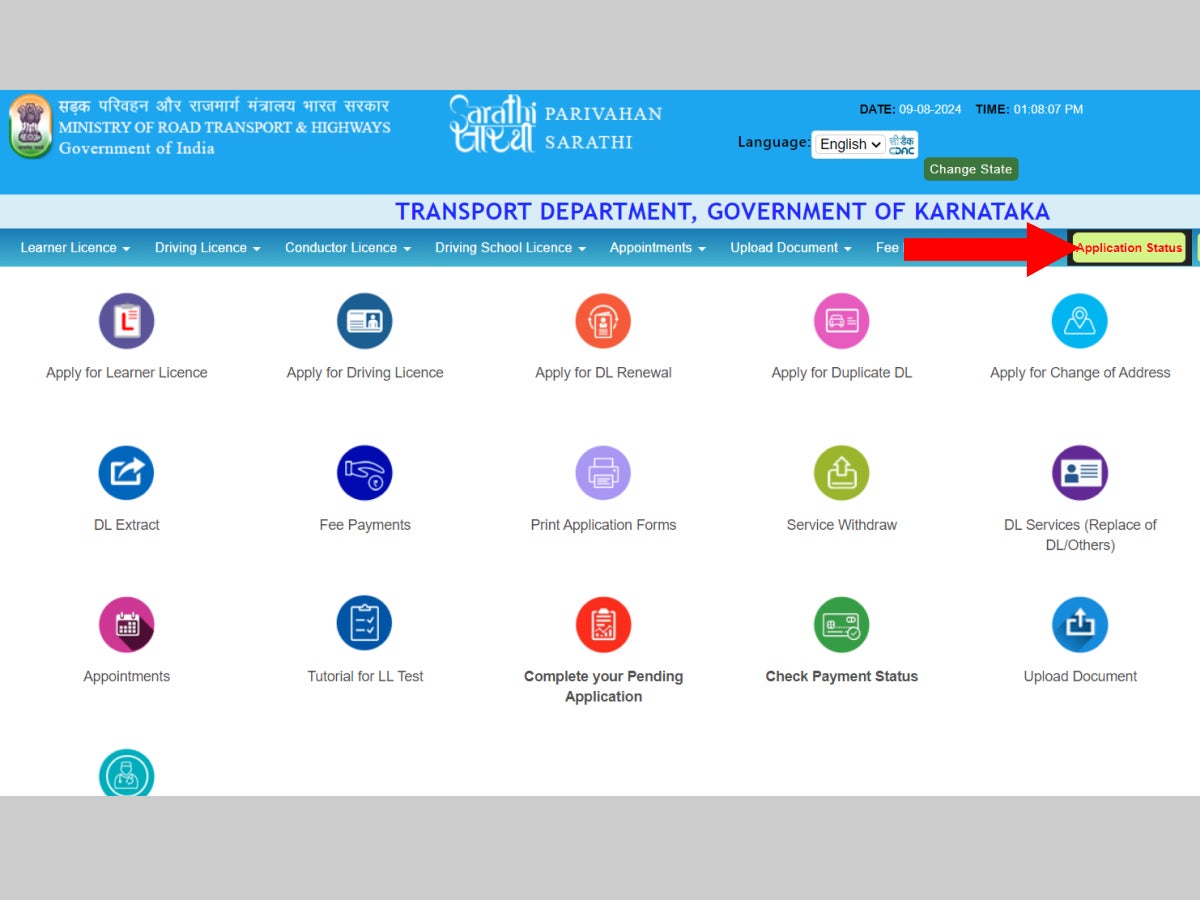
Step 6: On the next page, fill in the Application Number, Date of Birth, and the Captcha.
Step 7: Alternatively, if you’ve submitted the DL application through portals like e-Mitra or e-District, then click on the hyperlink on the side of the information box. A new drop-down will appear on the same page. Select the portal you’ve applied to.
Step 8: Now, press “Submit”.
Step 9: The required driving licence status in Bangalore will appear on the screen.
What to keep in mind while checking the DL application status in Bangalore online?
Before you start tracking the driving licence status online in Bangalore, ensure that you keep the following in mind:
- The applicant can check for the driver’s licence status online by visiting the Sarathi.Parivahan website, and selecting Karnataka as the state, and then following the step-by-step process, as described above.
- The application status can be checked as many times as needed, and it is free of charge.
- Keep the application number handy when checking the status of the DL application online.
- Should you lose the application number, it can be retrieved by visiting the Sarathi.Parivahan website. Click on “Others” from the navigation menu bar at the top, followed by “Find Application Number”. Select the state and the applicable RTO from the drop-down menu, and fill in the requested personal information (name, DOB, registered mobile number).
- One can only track the driving licence status in Bangalore, 1-2 weeks after the driving test, as it usually takes that long for the data to reflect in the portal.
- Once you have passed the driving test, the DL will be delivered to the applicant’s home within 30 days, which includes 2-3 weeks for document verification. In Bengaluru, the government ensures that the licence is issued the same day the test is cleared, and the DL is dispatched to the applicant on the same day.
- If the applicant fails the driving test, a re-test can be applied for after 7 days.
- Applicants must remain updated on the latest regulations and developments, as the RTO’s rules are subject to change.
Things to remember about driving licences in Bangalore
- In Bangalore, when applying for a DL for the first time, it is compulsory to obtain a learner’s licence first.
- Just like the permanent DL, the learner’s licence can be applied for online, or offline by physically visiting the RTO.
- The Learner’s Licence is issued for a period of 6 months. The applicant can apply for a permanent DL after 30 days and within 180 days of obtaining a learner’s licence.
- A learner’s licence holder is required to pass a driving test to obtain a permanent driving licence.
- In addition to applying for a learner’s licence and applying and checking DL application status online, one can also apply for a duplicate DL or a DL renewal online.
- You can apply for a duplicate DL if the original licence is either lost, stolen or damaged.
- The DL needs to be renewed once its validity expires.
- The validity of DL is up to 20 years from the date of issue, or till the applicant turns 40 years of age, whichever comes first. However, a DL to drive a commercial vehicle is only valid for up to three years.
- After expiry, the old DL is replaced with a new one. However, one can apply for a DL renewal only when the remaining validity period is less than 30 days.
- If the driving licence has expired for over a year, the applicant is then subject to a driving test to renew their DL. However, if the licence has expired for over five years, then it will be treated as a fresh application.
Conclusion
With the introduction of MoRTH’s Parivahan portal, the process of checking the application status of a driving license in Bangalore has become highly convenient. The Parivahan portal has simplified the process not only in Bangalore, but across the country. Additionally, the portal offers great transparency to track the driving licence application status, and makes it seamless. While using the online portal is not mandatory, it is extremely convenient when compared to physically visiting the RTO and following the documentation process in person.